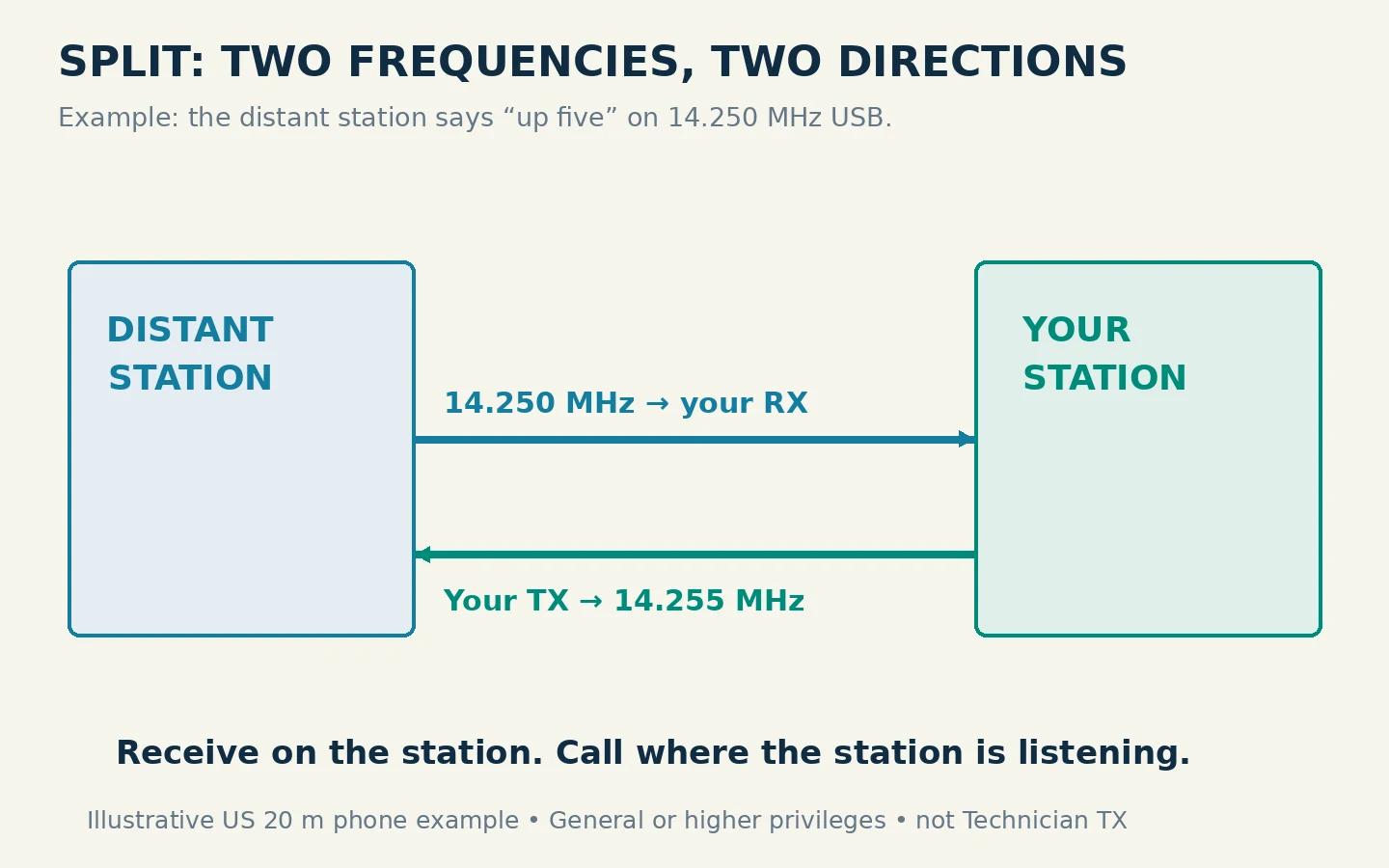
To operate in split mode, set your receiver to the station you want to hear and your transmitter to the separate frequency where that station is listening. Then verify the actual transmit frequency before pressing push-to-talk. The central habit is to think in two directions: I receive here; I transmit there.
This guide uses HF single-sideband operation, where a distant station may announce “listening up five.” It covers a two-VFO radio and a specific original IC-7300 example. A VFO is the radio's tunable frequency setting; VFO A and VFO B let the radio retain two settings. The letters alone do not prove which one will transmit.
Understand the Instruction You Heard
Suppose a station transmits on 14.250 MHz USB and says “up five.” In this example, you keep receiving on 14.250 MHz and call 5 kHz higher, at 14.255 MHz USB. The distant station does the reverse: it transmits where you listen and listens where you transmit.
“Up” means a higher radio frequency. It does not mean increase power, widen your receive filter or move your receive dial away from the station. “Down five” would instead put your transmit frequency at 14.245 MHz in this example. If the operator announces “five to ten up,” the listening range here would be 14.255–14.260 MHz. Monitor within that range and choose a clear calling frequency rather than spreading your own transmission across it. Do not assume an old spotting message still describes the current instructions.
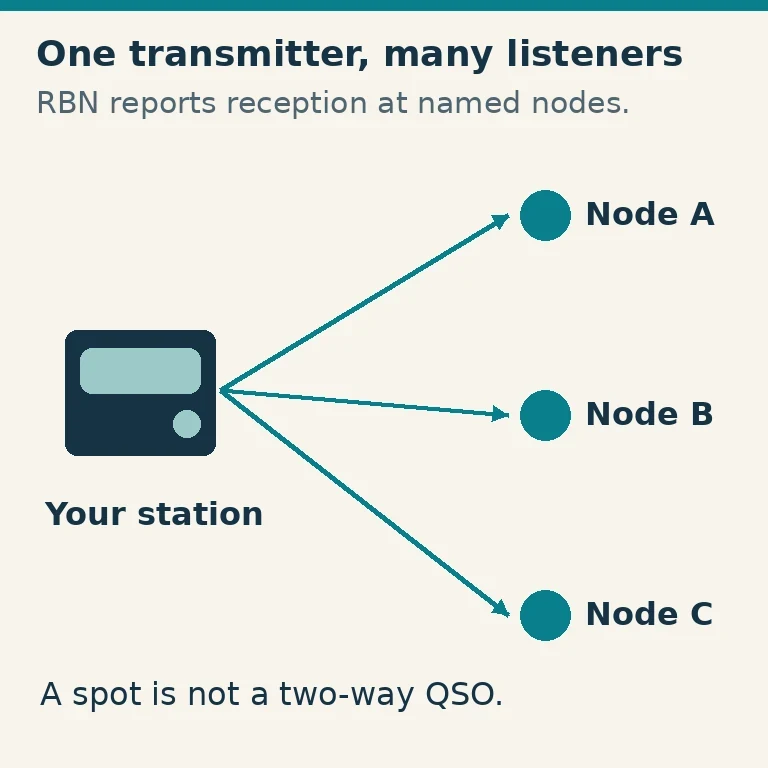
A spot is a report of a station's activity, often shown by logging software. It can help locate the station, but your own reception of the operator's current instructions should determine how you call. If you cannot hear enough to establish the listening frequency or range, remain in receive mode until you can.
HF split should also be distinguished from an FM repeater offset. A repeater receives on one frequency and retransmits on another, often using a preset shift. A two-VFO HF split contact usually involves two directly communicating stations. Copying a repeater-style offset setting is not a substitute for verifying the HF transmit VFO.
Check That Your Transmit Side Is Authorized
For US operation in the continental United States, the 14.250/14.255 MHz USB example is within the 20-meter phone privileges available to General, Advanced and Amateur Extra control operators. It is not a 20-meter transmitting privilege of a Technician license. These privileges were checked against FCC Part 97, §§97.301 and 97.305, on October 29, 2026; the ARRL allocation guide provides a readable cross-check.
Both the selected mode and the entire transmitted signal must fit your authorized spectrum. A dial frequency inside your segment is insufficient if the sideband extends beyond an edge. Stay comfortably away from boundaries while learning; do not use the receiving station's location or privileges as permission for your own transmission.
Also listen on the frequency where you intend to transmit. Split does not create a private calling channel or excuse interference to an existing conversation. FCC §97.101 requires cooperation in frequency selection and prohibits willful or malicious interference. Use the minimum transmitter power necessary for the communication, as required by §97.313.
If your license does not authorize the example, practice the display and receive-side steps without transmitting. A more experienced licensed operator can help you understand the controls without asking you to make an unauthorized call.
Set the Two Frequencies Deliberately
Before starting, disconnect or close logging software that can retune the radio, disable voice-operated transmission (VOX), and note whether receiver incremental tuning (RIT) or transmitter incremental tuning (XIT) is active. Those small offsets can make the displayed VFO frequency different from the effective receive or transmit frequency. Clear them for the first exercise using your manual's controls.
For a generic two-VFO setup:
- Set the first VFO to the station's frequency and correct mode. In the example, that is 14.250 MHz USB.
- Select the other VFO and set the calling frequency and mode: 14.255 MHz USB.
- Activate the radio's split function and return to the receiving VFO.
- Read the split indicator and transmit-frequency indication. Confirm which VFO the radio will use for transmit, including any remaining offsets.
- Use the manual's transmit-frequency monitoring function, if provided, to listen on the calling frequency without transmitting.
A radio can remember an old mode on its second VFO. Check both modes rather than assuming the receive-side selection automatically applies to transmit. Likewise, do not blindly copy the first VFO over the second after setting the offset; that can erase the split you just created.
The expected end state is unambiguous: receive 14.250 MHz USB, transmit 14.255 MHz USB, split on. If you cannot make the display match that statement, stop and consult the model's manual before making a call.
Follow the Original IC-7300 Sequence
The original Icom IC-7300 Full Manual describes a manual method that makes the assignments explicit. Set VFO A to the receive frequency and mode. Push A/B to select VFO B, set the second frequency and mode, push SPLIT, then push A/B to return to VFO A. In this final state, A is the receiving VFO and B supplies the transmit frequency.
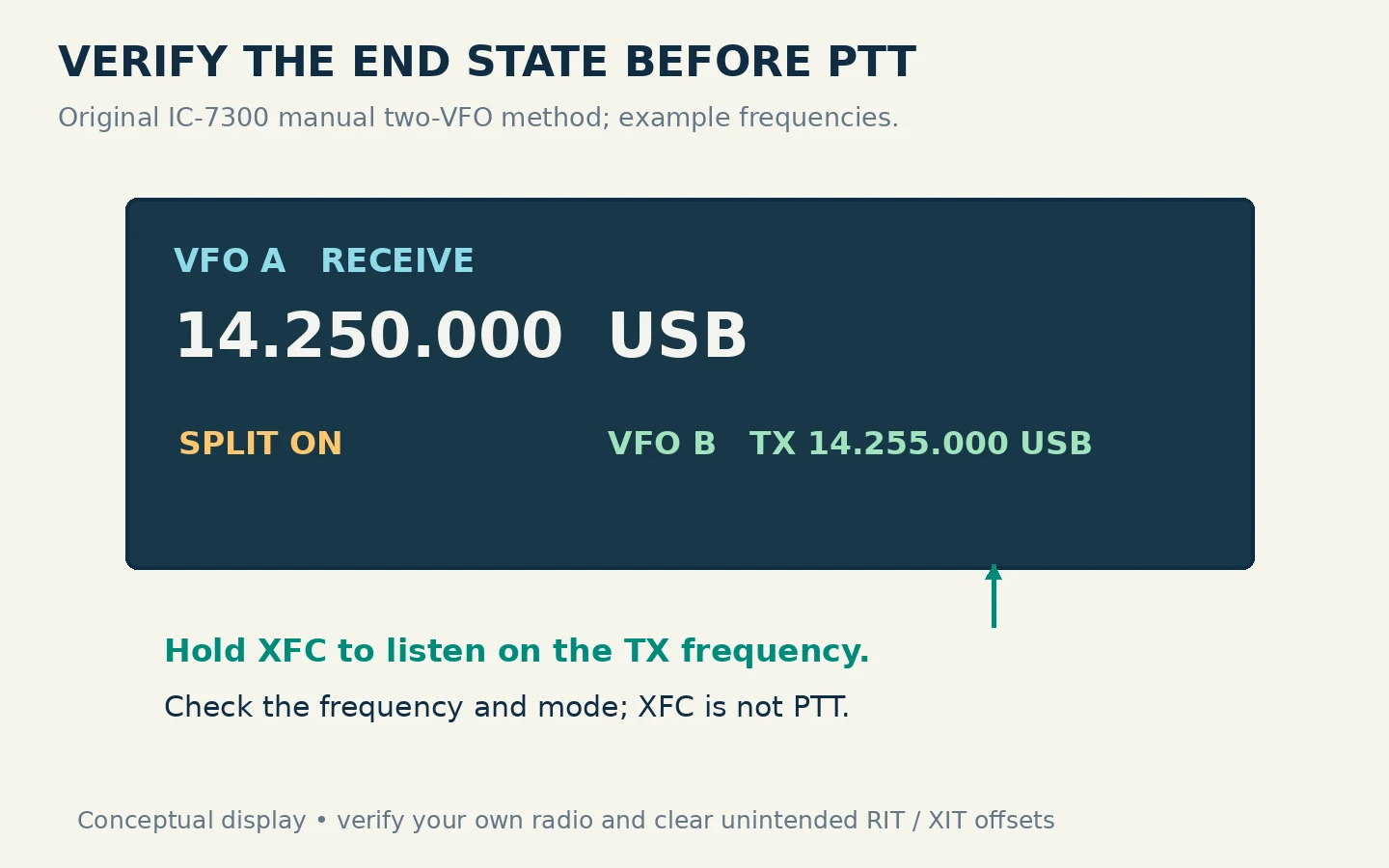
For the teaching example, enter 14.250 MHz USB in A and 14.255 MHz USB in B. Check that SPLIT is displayed after returning to A. Use XFC, the transmit-frequency check function, to listen at the transmit frequency. It is a check control, not the push-to-talk switch.
The same manual also describes Quick Split: holding SPLIT for one second equalizes the VFO frequencies and modes and enables split; while holding XFC, the operator sets the desired offset. This means a long press is not interchangeable with the short press in the manual two-VFO sequence. Learn one method first, and inspect the resulting frequency every time.
These control names apply to the original IC-7300 manual, not every Icom and not automatically the IC-7300MK2. On another model, find “split operation” and “transmit frequency check” in the matching manual rather than guessing from a similar-looking button.
Listen on Both Sides Before Calling
Listen to several exchanges on the station's transmit frequency. Learn its rhythm: is it answering specific partial calls, requesting a geographic region, or asking callers to wait? Then briefly monitor the calling frequency or range. A single-receiver radio may interrupt reception of the distant station while you do this, so return in time to hear its next instruction.
Do not chase every successful caller by transmitting immediately on top of that caller. First hear the exchange finish and establish that the distant station is taking another call. If the operator gives a new listening frequency or returns to simplex, update your setup and verify it again.
When invited to call, give your own full call sign once, clearly, then release push-to-talk and listen. If the operator asks for a partial call that is not yours, wait. If you are answered, confirm the exchange requested, such as a signal report, and finish promptly. The point of splitting is to make listening manageable, so repeated calling over replies defeats the arrangement.
US station identification still applies on the frequency where you actually transmit. FCC §97.119 requires identification at the end of each communication and at least every ten minutes during it; moving the receive dial does not change that obligation.
Fix the Common Mistakes and Restore Normal Operation
| Symptom | Likely check | What to do before another call |
|---|---|---|
| You hear the station but never seem to be in its listening area | Actual transmit VFO and current instructions | Monitor the transmit frequency and compare both displayed frequencies |
| The offset is correct but transmit mode is wrong | Second-VFO mode | Set the intended mode on that VFO and recheck split |
| Your receive frequency moves while adjusting the calling frequency | Active VFO or missing split-tuning function | Restore receive, then use the documented transmit-frequency adjustment |
| The radio transmits on the station's own frequency | Split disabled, wrong TX VFO, or software retuning | Stop transmitting; rebuild and verify the two-frequency setup |
| A new simplex contact cannot hear you | Split or XIT left active | Turn split off, clear offsets and verify the intended simplex frequency |
Record the contact time, call sign, mode and frequency in your log, adding the transmit frequency or offset in a note if the logger lacks separate fields. After the contact, turn split off and verify the receive/transmit relationship before replying to another station. A successful split session ends with the radio in a known state, not merely with the contact completed.