Start with the Modes and Station You Intend to Use
The best HF radio for digital modes is the one that fits the modes and station you actually plan to use—not a universally “best” model. Start with a short operating brief before comparing radios. It should name the modes, the HF bands you intend to use, the antenna you can install or carry, and whether the station will be fixed, portable or mobile. Those choices determine what the complete station must accommodate, beyond the radio itself.
Be specific about the modes. ARRL lists FT8, PSK31, RTTY and other digital modes with different characteristics and software paths, so “digital capable” is too broad a shopping requirement . If WSJT-X is in your plan, its guide calls for an SSB transceiver and antenna, plus computer-to-radio audio and control paths . That makes WSJT-X a useful concrete case for writing the brief, but its requirements should not stand in for every mode you might operate. Write down your first intended use and any additional modes you want the station to support; that separates immediate needs from possibilities you may never pursue.
Describe the operating setting with equal care. ARRL distinguishes fixed, portable and mobile HF transceivers, and notes that portable models emphasize compactness and efficient power use . For a fixed station, the brief might specify an antenna that will remain installed and a radio that will have a dedicated operating space. For portable use, record what you expect to carry and how much space is available. For mobile use, record where the equipment would go. These are not interchangeable buying scenarios: a compact radio may solve a carrying or space problem without necessarily being the arrangement you would prefer at a desk.
Finally, name the antenna and bands as precisely as you can without pretending an undecided installation is settled. “Fixed station, planned antenna not yet chosen” is more useful than silently assuming any radio will suit the eventual arrangement. Likewise, if your brief says “FT8 first, possibly RTTY later,” keep that distinction visible when comparing setups rather than treating the second mode as an established requirement. The brief gives the rest of the buying process a defined job: evaluate radios as parts of the station you intend to build, not as isolated specifications or entries in a universal ranking.
Trace Every Computer-to-radio Connection Before Choosing a Radio
For each candidate, draw the path from computer to radio and back. In a WSJT-X setup, the computer needs a receive-audio input and a transmit-audio output; the software asks the operator to select both audio devices, and its requirements call for audio connections or equivalent USB connections between computer and radio. In the radio’s documentation, identify where received audio leaves the radio, where computer-generated audio enters it, and which computer device each connection will use. If either direction is undocumented, the interface plan—and its cost—is not settled.
Next, decide what you want computer-aided transceiver control, or CAT, to do. CAT lets software send commands to the radio, but it is not a prerequisite for every WSJT-X arrangement: the software permits “no CAT control.” A candidate without a workable CAT path may therefore remain usable if you are willing to set the radio manually. That is a different operating arrangement from one in which you expect software to control it. Record the intended CAT connection, or explicitly mark it as manual, rather than treating audio and control as the same capability.
Push-to-talk (PTT) is a separate path: it tells the radio when to transmit. WSJT-X lists VOX, CAT, DTR and RTS as PTT methods. For each candidate, identify one method supported by the proposed radio-and-interface combination. If CAT is unavailable, that does not by itself rule out PTT; conversely, finding a control port does not establish which PTT method the complete setup will use. A purchase list that says only “USB cable” leaves this decision unresolved.
Trace the final step into the transmitter, too. WSJT-X notes that some radios allow the operator to select which connector supplies transmit audio. If the computer feeds one connector while the radio is set to another, the physical connection alone will not deliver the intended signal. Note the required radio input setting alongside the cable or interface, particularly when comparing a rear accessory connection with a USB audio path.
Do not reject an older HF radio solely because it lacks integrated USB. ARRL describes FT8 operation with such a transceiver using an interface. That option changes the comparison from “old radio versus USB radio” to two complete connection plans: the existing radio plus suitable external audio and control hardware, or another radio with documented internal paths. Count the extra interface, cables and any required computer connections as part of the first plan, rather than assuming the radio must be replaced.
Likewise, do not credit a USB-equipped candidate with functions its documentation does not specify. ARRL describes one particular FT8 setup whose USB connection carries both audio and command traffic; that example does not establish what another radio’s USB port carries. Check the model’s documentation for both audio directions, the intended CAT and PTT arrangements, and any driver requirement. Yaesu’s model-specific virtual COM-port driver listing illustrates why a USB control connection should not be assumed to work without a specified driver. The useful result of this screen is a parts-and-settings list for each candidate, with unresolved connections visible before they become an unexpected purchase.
Match Transmit Power and Supporting Equipment to the Planned Duty
A radio’s advertised output figure is not, by itself, a promise that the complete station can sustain that output during digital operation. ARRL notes that output in most digital modes stays nearly level for potentially extended periods . Start with the power and operating pattern you actually plan to use, then check the radio’s model-specific guidance for that pattern. Make the same assessment for the power supply, tuner and other equipment in the transmit path. If the documentation does not establish a suitable operating limit, leave that limit unresolved rather than assuming the headline wattage applies continuously.
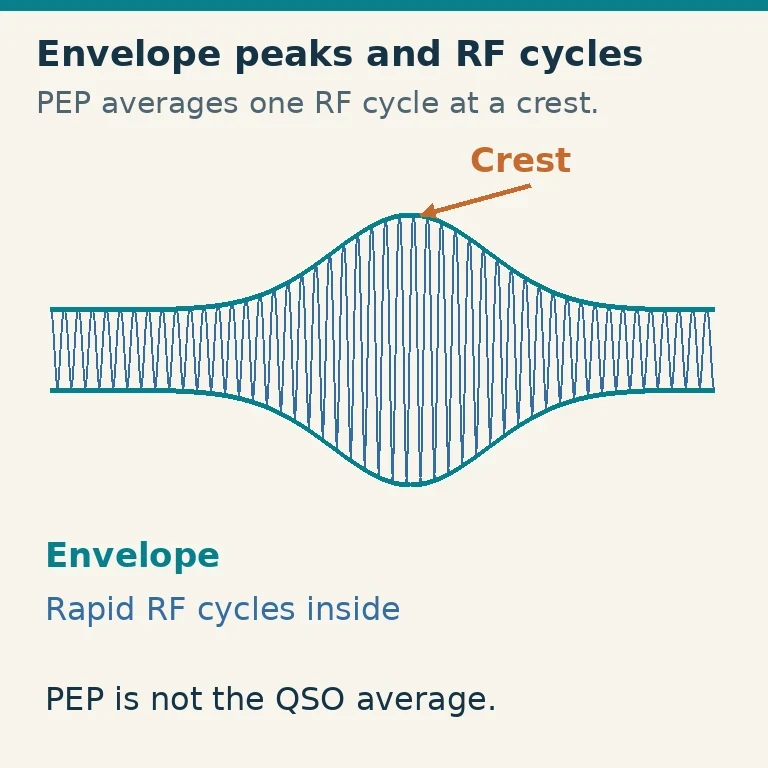
The tuner is an easy place to make the wrong comparison. ARRL distinguishes a peak-envelope-power (PEP) rating from a continuous-power rating and says a tuner used for FT8 needs a continuous rating at the planned power—not merely a sufficient peak rating . For example, a tuner advertised with a high PEP figure should not pass your screen on that figure alone. Find its continuous rating and compare it with your intended output. If the rating is inadequate or unclear, the practical choices are a suitably rated tuner or a lower planned power that the equipment documentation supports.
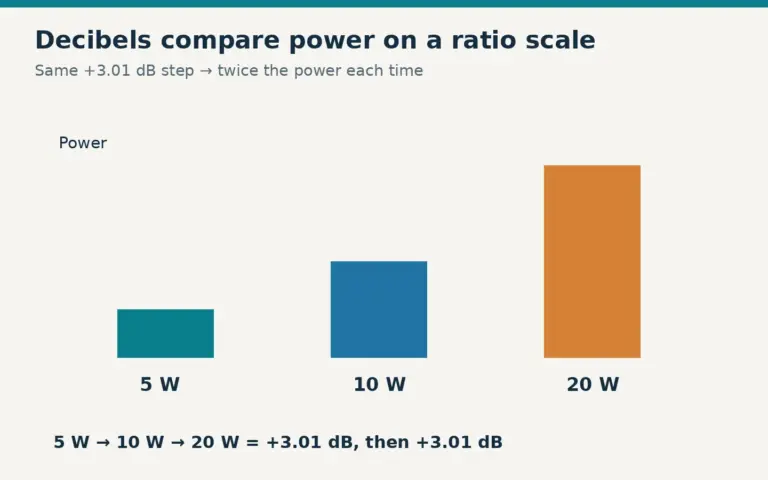
Treat reduced output as a legitimate station design choice, not just a concession made after purchase. WSJT-X provides a transmitter-audio power slider that can be reduced to set a suitable drive level . That gives an operator using this software a way to plan around an appropriate drive setting rather than assuming maximum advertised radio output is the default. It does not establish what output any particular radio, supply or tuner can sustain; those limits still require equipment-specific information.
The tradeoff may change which setup is worth buying. One candidate may offer a larger advertised power figure but require a different supply or tuner for your intended duty. Another may better fit a deliberately lower-power plan with the supporting equipment you already have. Compare those planned operating configurations, not bare transmitter specifications. Keep the transmit-audio quality requirement in view as well: WSJT-X describes a smooth transmitted test tone, without clicks or glitches, as the target . A power plan that depends on excessive drive or on an undocumented continuous rating is not yet a sound basis for choosing the station.
Check Whether the Receiver Will Be Usable in Your Signal Environment
A radio can have the connections needed for a sound-card mode and still be frustrating to receive with. For WSJT-X, the documented setup uses the transceiver’s USB or USB Data mode; a standard SSB filter presents about 2.7 kHz of receive bandwidth. For each candidate, ask whether you can select the intended mode and bandwidth, confirm what is selected, and restore those settings after using the radio for something else. A bandwidth setting that works for this WSJT-X example is not automatically the right choice for every digital mode. If you expect to switch operating modes often, accessible, unambiguous controls may be worth more than an extra feature on the specification sheet.
Think about the signals your receiver will have to handle, not just the weakest signal you hope to copy. ARRL identifies selectivity and strong-signal performance as important HF receiver characteristics, and names blocking dynamic range (BDR) and third-order intercept as measurements of strong-signal performance. Bandwidth and strong-signal performance answer different questions: one concerns the receive window you select, while the other helps you assess how the receiver copes with strong signals. If your operating location regularly presents strong nearby signals, give comparable receiver measurements more weight than you would for a quieter location. Neither a single specification nor a wide display establishes how comfortable the receiver will be in your particular conditions.
Usability also includes getting sound from the receiver into the software at a workable level. WSJT-X directs users to adjust receiver or mixer levels against its background-noise meter and says AGC action is usually best minimized for its setup. When screening a radio, find out whether the relevant level and AGC settings are accessible and whether you can tell when an adjustment has taken effect. If you share the radio with other operating activities, consider how easily you could return to your data-mode settings. These are practical buying questions, not reasons to assume that a particular control layout will improve reception by itself.
These considerations can break a tie after two setups meet your other requirements. In a relatively quiet setting, straightforward mode selection and repeatable audio adjustment may be the more useful distinctions. Where strong signals are a recurring concern, receiver performance deserves closer comparison alongside those controls. Favor the setup whose receiver settings you can understand and manage under your expected conditions, rather than treating a long feature list as proof that the audio delivered to the software will be usable.
Compare Viable Setups by Operating Context and Complete Cost
Once a setup has passed the connection, transmit-duty and receiver screens, compare the station you would have to buy—not just the radio. Put each viable option on a cost sheet with separate lines for the radio, computer interface, DC supply, tuner and any other accessories your planned installation requires. Mark what you already own, what is included and what remains to be priced. A lower radio price can lose its advantage if it needs several additional purchases; an included feature saves money only if it serves your particular setup.
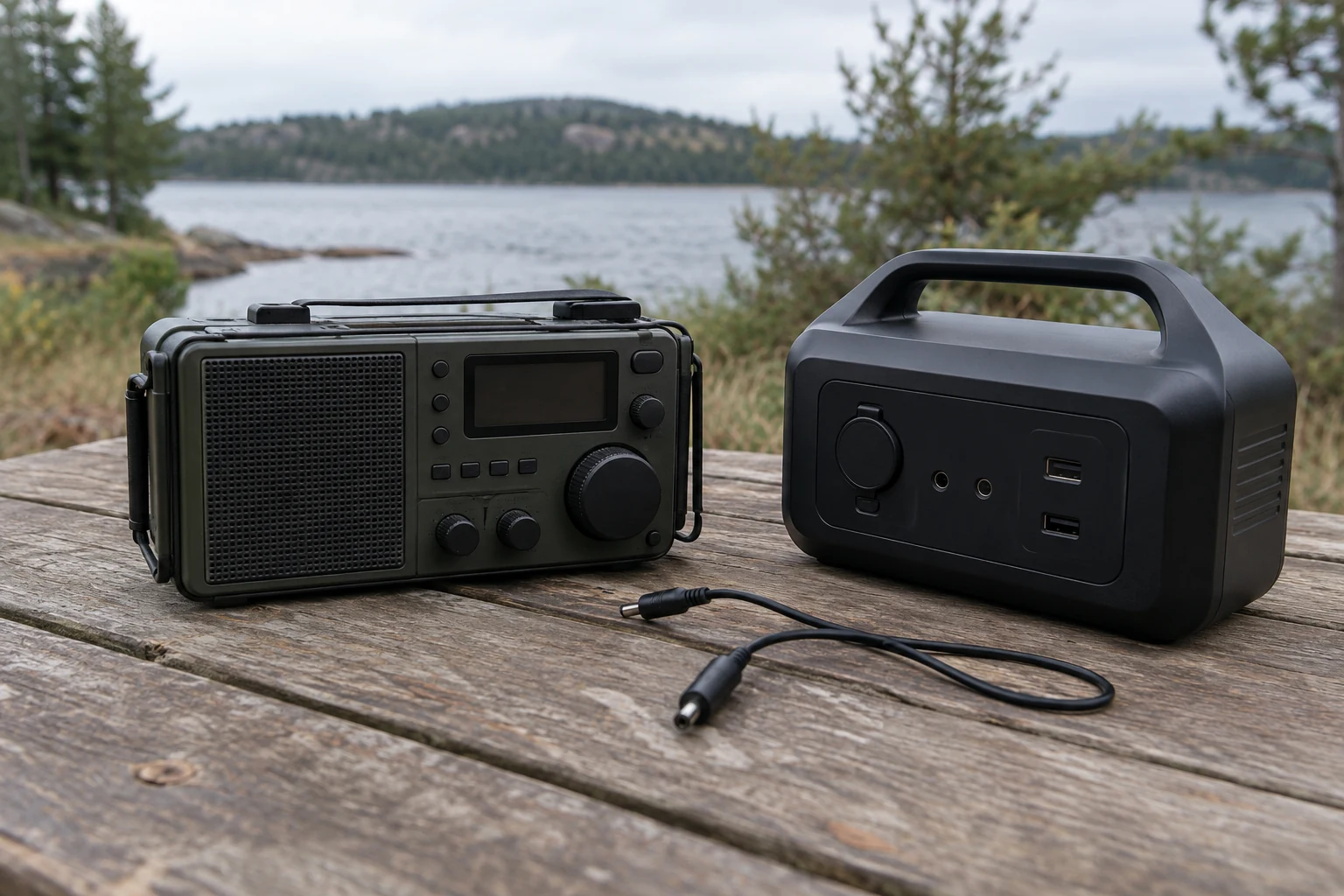
For a portable station, give size and power efficiency real weight, but price those benefits against day-to-day operation. ARRL notes that portable HF radios may trade fewer controls or features for size and efficiency . If you expect to change settings frequently in the field, decide whether the controls suit that routine or whether the smaller package would make it cumbersome. Include the power source and carrying arrangement you would actually use. For occasional portable operation, compare the cost of making an existing setup transportable with the cost of a dedicated portable station.
A mobile radio can also be a candidate for a desk with limited space. ARRL notes that mobile equipment may suit a space-limited base station but can require an external DC supply . Price that supply and the intended installation rather than comparing the compact radio’s sticker price with a more complete fixed-station option. For a fixed station, account for where the radio, supply and accessories will sit and which items the installation still lacks. The least expensive option will depend on what your station already has: the same radio may be a modest upgrade for one operator and a much larger build-out for another.
Treat attractive product-page details as prompts for questions, not as a ranking. Yaesu describes an FT8 preset on a specific FT-710 model and lists the FT-710 as an HF/50 MHz, 100 W radio requiring 13.8 V DC . In a comparison sheet, the preset belongs under operating convenience; the voltage belongs beside the supply you would need. Neither detail, by itself, establishes the total station cost or makes that model the better purchase. Compare manufacturer specifications on the same basis for every viable setup, and leave a price blank rather than assuming an accessory is included.
Verify the Chosen Setup Before Treating the Decision as Complete
Turn the preferred station into a pre-use sequence using the computer, cables, radio and accessories you intend to operate. Before buying any missing component, identify which checks you can complete from documentation and which require the assembled station. For a WSJT-X setup, select the input and output audio devices in the software; it treats them as separate choices. Confirm that received audio reaches the chosen input, then confirm that the chosen output reaches the radio’s transmit-audio input. Hearing signals on the computer establishes only the first direction. If reception works but transmit audio does not, do not mark the audio connection as verified.
Test control separately from audio. If the setup uses computer-aided transceiver control (CAT), run the CAT communication test described in the WSJT-X guide. Run its separate push-to-talk (PTT) test as well: successful frequency control does not establish that the computer can key the transmitter. Record the results independently so that a working CAT connection does not hide a failed PTT path. If either test fails, stop at that step rather than trying an on-air transmission to find out what happens. Recheck the selected device, connection and configuration; seek help if the intended path remains unclear.
For the illustrated WSJT-X use, synchronize the computer’s UTC clock before a contact. Its pre-QSO checklist includes clock synchronization alongside PTT and CAT checks. That makes timekeeping part of verifying this particular setup, not a substitute for confirming the audio and control paths.
Finally, check transmission under the conditions you plan to use, with drive and output appropriately adjusted. Confirm that the radio is being keyed as intended, that transmit audio is reaching it, and that the resulting signal is suitable before extending operating time. This matters when considering accessories as well as the radio: ARRL notes that digital modes can maintain near-constant output for extended intervals. A successful brief keying test therefore does not, by itself, settle whether the complete setup is suitable for the planned duty. Pause if its behavior or operating limits remain uncertain; do not infer sustained-output capability from a short test.
Keep the results and unresolved checks with your comparison notes. A lower-cost option that still needs an unexplained control connection or an unverified transmit path has remaining work—and potentially remaining expense—even if its specifications look attractive. Documentation can support a purchase decision, but it cannot replace testing the assembled station. Favor the complete station whose fit, total cost and operation you can verify, rather than treating the radio purchase alone as the finished decision.