To update your FCC amateur license contact information, change your existing license grant through ULS License Manager. Then check the contact details associated with your existing FCC Registration Number (FRN) in CORES and correct those separately if needed. The two records do not update each other. For an individual US licensee, the goal is to have the right name, mailing address, and working email on the license grant—not merely in an account profile. Save your submission confirmations, then check the accepted FCC license details and the CORES record independently before considering the job done.
Know Which Record Needs Changing Before You Sign in
An amateur license grant must show the grantee’s correct name, mailing address, and email address under 47 CFR § 97.23. The email must be one at which the grantee can receive electronic correspondence. If the relevant contact information needs correction, § 97.21(a)(1) calls for an application to modify the license grant. A move, a changed name, or an email address you can no longer use is therefore a reason to check the grant itself.
There are two places to think about, with different jobs:
- ULS License Manager is the route for updating the existing amateur license record. ARRL says licensees can use it to update their FCC license record, including its email address.
- CORES holds contact information associated with your FRN. It is a separate check and, if necessary, a separate update. ARRL explicitly warns that changing one system does not change the other.
That distinction matters even if you use the same FRN to access FCC services. For example, a corrected email in CORES is not evidence that the email on your license grant changed. Conversely, finishing a license modification gives you no reason to assume the FRN contact details now match. Check each record for its own purpose.
Before signing in, gather your call sign and existing FRN, the details currently shown on your license, and the exact name, mailing address, and working email you intend the grant to show. Having the old and intended details side by side makes it easier to spot an unchanged field or a typing error before submission. Keep your account credentials private; this guide is for correcting your own record, not for accessing someone else’s.
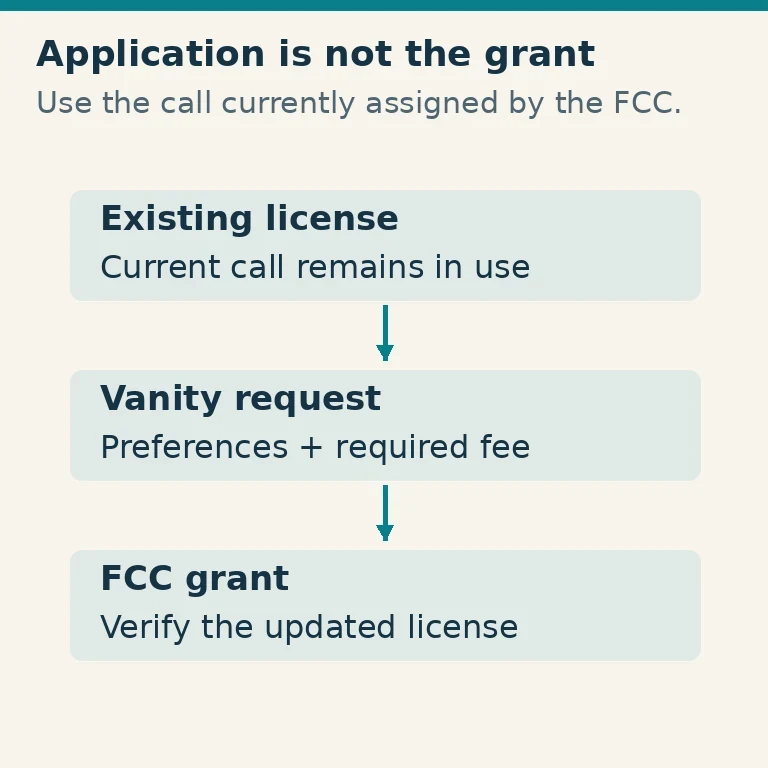
This is an administrative contact update to an existing license. Do not choose an expired-license renewal or a vanity call-sign request as a substitute for correcting contact information.
Scope exception: The individual procedure below is not the filing route for a club or military recreation station grant’s contact-information modification under § 97.21(a)(1). For that modification, the application must be given in document form to a Club Station Call Sign Administrator, who submits its information electronically to the FCC in a batch file. That is a rule for this specified modification; it should not be read as a description of every renewal or vanity transaction.
Submit the Change to Your Existing Amateur License
Start from the FCC’s current Universal Licensing System entry and instructions, and follow its link to ULS License Manager. Use your existing FRN and the sign-in method the FCC currently provides. FCC pages and authentication prompts can change, so follow the instructions you see there rather than relying on an old screenshot or expecting a particular button name. ARRL identifies License Manager as the system for updating the FCC license record.
If you cannot get in, pause the modification rather than making a new FRN to work around the problem. Follow the FCC’s current account and access help to recover access or associate your existing FRN with your account, as applicable. Once you can reach the license tied to that FRN, return to the update. The important distinction is between restoring access to the identity and record you already have and creating a second identity that does not fix your current license.
In License Manager, find your existing amateur license by checking the call sign and identifying details against what you gathered. Choose the FCC’s applicable modification or administrative-update route for that license. Enter the corrected license-grant contact information where the current instructions direct you. Do not stop after editing a sign-in account profile: the object of this step is a modification of the license grant that must carry your correct contact details.
Before you submit, compare the proposed information with your intended details:
- Does the name match the name that should appear on your grant?
- Is the mailing address complete and the one you intend the FCC to use?
- Is the email spelled correctly, and can you receive electronic correspondence there?
Pay particular attention to an email you recently replaced: entering a new address is useful only if it is one you can actually use. Review the application summary or other review information the FCC makes available. A completed form waiting on a screen is not a submitted change. Follow the current submission instructions through the point at which the system provides evidence of submission, and keep the actual confirmation—for example, the confirmation information or record made available for that transaction. You will need it to distinguish “I sent a modification” from “the grant now shows the accepted details.”
Do not treat submission as a promise of immediate acceptance or a particular processing time. The follow-up check below is what establishes whether the license record now reflects what you intended. If you cannot identify your existing license or cannot finish the submission, use the FCC’s current ULS license and access help before attempting a different licensing transaction.
Check and Update Your Cores FRN Contact Information Separately
Next, go to the FCC’s current CORES information and entry instructions. Access the same existing FRN used for your license. If you cannot reach it, follow the FCC’s current CORES account or FRN-access help to recover access or associate that FRN as needed; do not create a replacement FRN simply because access is difficult.
Inspect the contact details associated with the FRN. Compare them with the information you intend to keep current, then follow the FCC’s FRN-update instructions to submit any needed corrections. If those details are already correct, no correction is needed there—but checking is still worthwhile. This action maintains the FRN contact record; it is not another way to modify the amateur license grant.
The two possible mismatches are easy to picture. You might finish a License Manager modification and still find an old address in CORES. Or you might correct CORES first and still find the old address on your license grant. In either case, return to the system that holds the wrong information rather than assuming another submission in the system you already corrected will carry over. ARRL’s guidance is explicit that changes must be made in each system individually.
If you submit a CORES correction, retain its confirmation or other available submission evidence separately from the license-modification confirmation. Keeping the two together but clearly identified will make the final check easier.
Verify Both Records and Resolve an Incomplete Update
A confirmation tells you that you submitted something; it does not, by itself, show that both records now contain the right information. Use what you saved to identify the transaction, then make two independent checks:
- Look up the accepted details on the FCC’s license record for your call sign. Compare the grant’s name, mailing address, and email with the details you intended to submit. That is the check for the contact information the amateur license grant is required to show.
- Sign in through the FCC’s current CORES route and inspect the contact details for your existing FRN. Compare those details independently, whether you made a CORES correction or found that none was needed.
Use the FCC record for the license check, not a third-party call-sign directory. A directory may be useful for other purposes, but it is not the authoritative FCC license record and cannot establish that your modification was accepted. Likewise, a correct CORES profile cannot prove that the grant is correct.
If the license grant still shows an incorrect detail, consult the FCC’s current ULS license and access instructions. Check what your retained confirmation says you submitted, and use the appropriate route to address the remaining error on the existing license. If you never completed the submission, return to that route after resolving the access or application problem. Avoid guessing that the change must appear instantly or by the next morning; instead, distinguish a submitted application from the accepted details you can verify.
If the license record is right but the FRN contact details remain wrong, concentrate on CORES and its current FRN-update help. Do not resubmit a license modification in the hope that it will repair CORES. If CORES is right but the grant is wrong, the reverse applies: go back to the license-modification route. This keeps each correction tied to the record that needs it.
Keep troubleshooting within your own account and license. Do not use another person’s credentials, and do not mistake a present-day contact correction for erasure of historical public records. The practical completion test is straightforward: your FCC license grant shows the correct name, mailing address, and working email; you have checked and corrected the separate FRN contact details as needed; and you have kept the relevant confirmations.