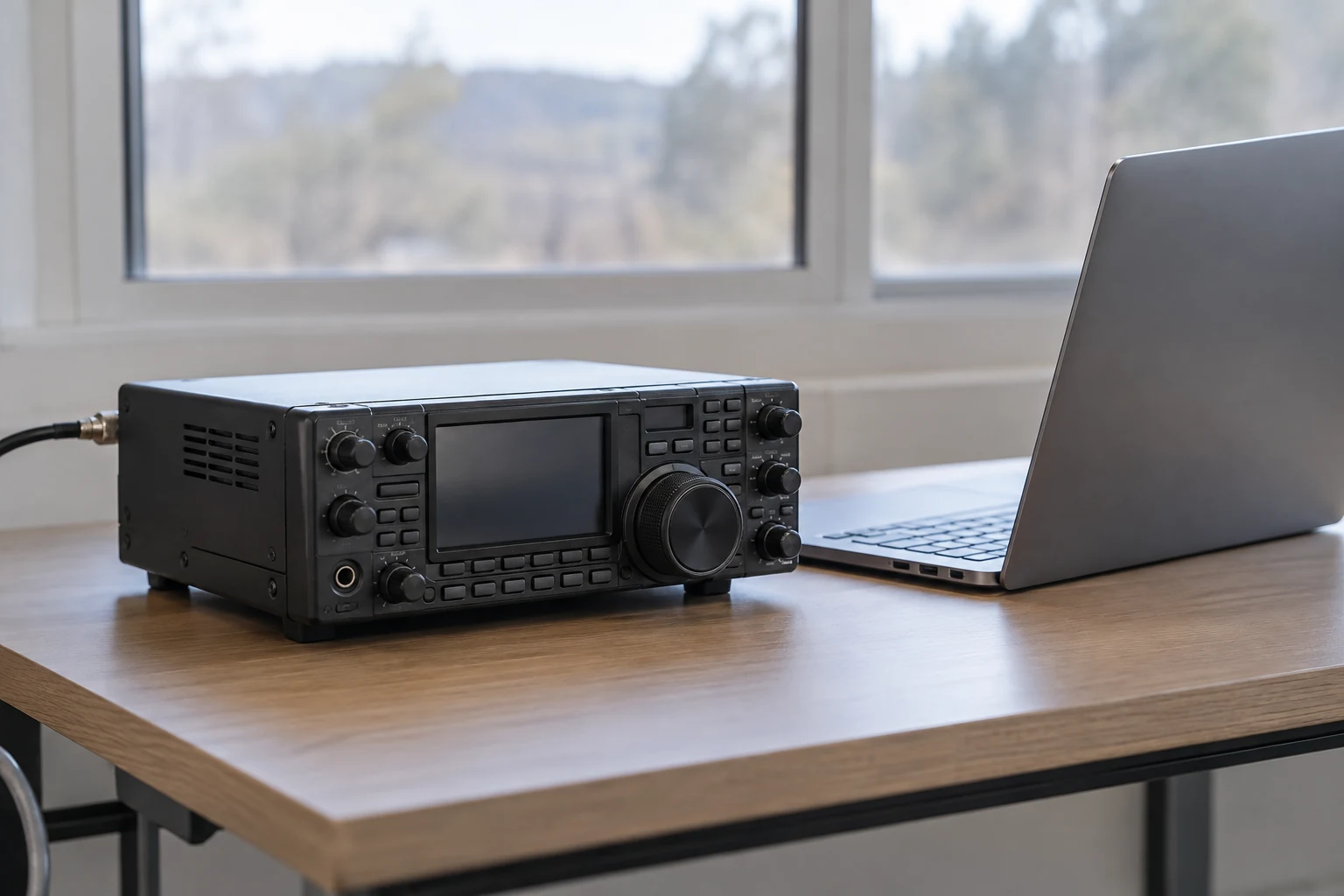
To send Winlink email by amateur radio, use Winlink Express to compose a message, connect your radio to a reachable public Radio Message Server (RMS), and exchange the mail waiting in your Outbox and Inbox. The crucial distinction is that writing a message does not put it on the air: the radio session is the transfer step. This guide follows a licensed amateur operator using a public RMS, not a direct connection to another operator or an emergency-service channel.
A first successful exchange has several parts you can check separately. Your account and client must be ready; your equipment must support the selected radio mode; the gateway must be reachable on a channel you may use; and the session must actually complete. Even then, a successful upload is not proof that an Internet addressee has received or read your email.
What Happens Between Your Radio and the Recipient
Winlink Express is the program on your computer where you compose, read and manage messages. An RMS is a radio gateway: it communicates with your station over a radio link and is connected through the Internet to Winlink’s central message servers, or CMS. ARRL describes Winlink as supporting wireless email to and from the Internet and identifies RMS stations as the gateways connected to the CMS.
For the public-gateway route, picture three distinct parts: your client and radio → an RMS over radio → the CMS through the RMS’s Internet connection. The RMS is not your email editor, and the CMS is not the station your radio must reach directly. Your immediate RF task is to establish a usable link with an RMS; the gateway provides the connection into the wider message system. ARRL says that link might use VHF packet radio or an HF digital system, depending on the gateway and your setup.
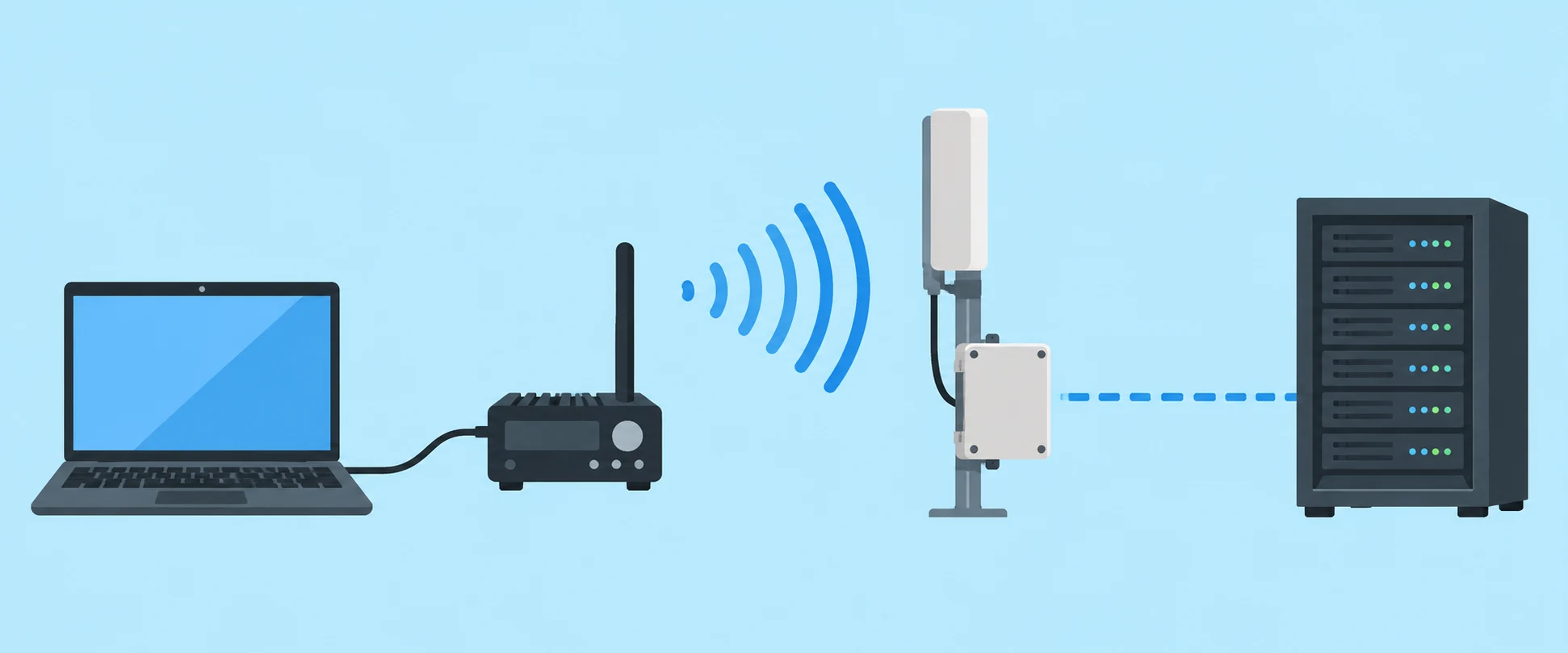
This explains a common first-test surprise. A message sitting in Express’s Outbox is still on your computer. Winlink’s description of the client says an Outbox message is held until the user opens a sending session. Saving a draft for sending and completing a gateway exchange are different events. If you shut down after composing but before a successful session, do not treat the message as transmitted.
Express also offers an Internet/Telnet route that can connect directly to Winlink CMS servers. If you have Internet access, that route can help check whether your account and client can exchange mail without involving your radio. A successful Telnet check is useful, but its conclusion is narrow: it says nothing about your computer-to-radio interface, modem path, chosen frequency, propagation or ability to reach an RMS over RF. Keep the Telnet result separate from the radio result when diagnosing a first attempt.
Finally, Express supports peer-to-peer connections: a direct RF connection to another compatible client. That is a separate capability, not the public-RMS path below. For a first gateway email, concentrate on getting the client, a supported radio session and one accessible public RMS working together.
Set up Winlink Express and Your Account
Winlink’s stated eligibility requirement is a valid amateur radio license or a license or authorization from a participating government service or agency. This walkthrough assumes you are using your own amateur-radio authorization. That eligibility condition does not, by itself, grant permission to transmit on every band, frequency or gateway channel; your actual privileges and local rules still matter when you choose a radio session.
Obtain Winlink Express from Winlink. Create the account in the client rather than looking for an account-registration form on the website: Winlink explicitly says accounts are created with a client program, not there. On first start, have an Internet connection available and complete the form presented by Express. Enter your callsign, include a password and a password-recovery address, then click Update. Winlink says that action creates the account. A recovery address is part of this first-start setup; it is not a substitute for your amateur callsign.
This account step is administrative, not an RF contact. Completing the form does not test a gateway or establish that your radio can send digital data. Before treating the setup as ready for radio, identify the pieces you actually have: a computer running Express, an amateur radio suitable for a mode you intend to use, and an appropriate path between the computer and that radio. The path may involve hardware or software that handles the digital mode. Do not choose a session merely because its name appears in the client; first establish that your equipment can use it. Winlink lists ARDOP, VARA HF and FM, and VHF/UHF AX.25 packet among Express’s radio modes. That list describes client capabilities, not what is installed at your station or available nearby.
Winlink describes using this client, Winlink Express, on a Mac or Linux machine through a virtual machine or dual-boot setup. If that is your computer arrangement, account for it when planning how the client will reach the radio interface. This is guidance about Express, not a claim that every Winlink client has the same operating-system requirements.
If you want a lower-stakes check before preparing RF, use an Express Internet/Telnet session to test the account and client connection. Record the result accurately: “the Internet session worked” is not “the radio setup worked.” Conversely, an unsuccessful Internet-only check should be addressed as a client or account check before you use it to draw conclusions about the radio. Once the client is ready, move to an equipment-matched RF mode and a gateway you are allowed and able to attempt.
Choose and Prepare a Reachable Radio Session
Start with what your station can support, then look for a gateway. On VHF/UHF AX.25 packet, you need a suitable radio and a terminal node controller, or TNC, path between Express and the radio; ARRL notes that the TNC may be hardware or software. You also need an accessible RMS using a compatible channel. Owning a VHF radio and seeing packet listed in Express are not enough if you lack the required interface or cannot reach a gateway.
An HF digital link is a conditional alternative, not an automatic fallback. It needs a compatible HF radio, a suitable modem or interface arrangement for the selected mode, authorization to operate on the band and workable radio conditions to an RMS. ARRL describes RMS contact over HF using digital systems as an alternative to VHF packet; Winlink lists ARDOP and VARA HF among Express’s modes. Express also lists VARA FM. Those names help you compare your equipment with available sessions, but none guarantees a particular gateway is on the air or reachable from your location.
A useful decision is therefore conditional:
- If you have a working packet-capable VHF/UHF station and an accessible compatible public RMS, prepare an AX.25 packet session.
- If you have a compatible HF station and an authorized, workable HF channel to a public RMS, prepare the matching HF digital session.
- If neither equipment-and-gateway combination is established, do not turn a listing into a speculative transmission. An Internet/Telnet check can still test the client, but it cannot complete the RF task.
Consult Winlink’s current gateway and channel information when making the RF choice. Match the listed RMS and channel to the mode your equipment supports, then assess whether that gateway is plausibly reachable from your station. Do not copy a callsign or frequency from an old walkthrough as though it were a standing appointment: your workable choice depends on the current listing, your equipment and local conditions. A channel listing identifies a possible route; it is not evidence that your station will make contact.
Pay attention to the channel’s service code. Winlink describes PUBLIC as the code for maritime and open amateur-radio use. It says EMCOMM identifies emergency gateways that do not allow public access. For the ordinary amateur email in this tutorial, seek a suitable PUBLIC gateway rather than treating an EMCOMM entry as another public option. “Public,” however, describes gateway access; it does not override your license privileges or the rules applying where you operate.
Before selecting the session you will use to transmit, check that your license privileges and applicable local frequency rules permit the proposed operation, and that the selected mode, interface and radio agree with the channel you intend to use. For a US operator, the relevant authorization depends on the operator’s actual privileges; for an operator elsewhere, local rules govern. This guide cannot determine either reader’s authorization from a gateway entry alone. If you cannot establish a lawful, compatible choice, stop at planning or an Internet-only client check rather than transmitting.
With those checks complete, set up the Express RF session to match the selected mode and RMS. Keep the gateway choice conditional until you try it: an RMS may be unavailable, or the radio path may not work from your station at that time. ARRL notes that users can connect to a different RMS when one goes offline, provided they have another suitable route. That is a recovery option, not a promise that a second gateway is reachable.
Immediately before starting the radio transmission, listen on the frequency you are about to use. Winlink instructs operators to determine whether a channel is occupied and, if it is, to wait until it is free or find another RMS on an unoccupied suitable frequency. A listed gateway is no reason to transmit over a detectable signal already in use. If you change RMS or frequency, apply the same authorization, compatibility and listen-first checks to the new choice.
Write the Message and Exchange Mail
Before composing, apply a content gate to this amateur-radio message. Winlink says email sent or received through its system is not private and that operators remain responsible for the rules applying to their license, authorization and location. Do not use a first test for sensitive information. If you address mail to or from an Internet email address, Winlink treats it as third-party traffic and requires compliance with the applicable radio-service and country rules. Check that such traffic is permitted for your operation before sending it.
For a US example of content limits, 47 CFR §97.113(a)(4) restricts messages encoded for the purpose of obscuring their meaning, except as otherwise provided in the rules. §97.113(a)(3) restricts communications in which the station licensee or control operator has a pecuniary interest, including employer communications, but includes enumerated exceptions. These are scoped US restrictions, not absolute statements about all countries or a determination that any particular message qualifies for an exception. For a straightforward first exchange, choose an ordinary, non-sensitive test rather than trying to resolve a difficult content question during the session.
In Express, address that short message to a callsign or email address, both of which Winlink identifies as valid forms for the To field. Give it a clear subject and a brief body that lets the intended correspondent recognize what you are testing. For example, you might identify it as a first Winlink exchange and ask for a simple reply, provided the address and traffic are appropriate under the rules governing your station. Avoid attaching significance to a reply request: the other person may not be available, and a reply will require its own path back to you.
Place the completed message in Outbox. At this point it is queued locally, not yet sent over RF. Winlink’s description of Express says Outbox holds a message until the user opens a sending session; it also describes Outbox and Inbox as databases stored on the user’s computer. That distinction helps when checking the result later: a visible Outbox entry confirms you prepared mail, not that an RMS accepted it.
Open the Express session corresponding to the RF mode and public RMS you prepared. Confirm once more that you are using the intended radio route, not an Internet/Telnet session. After the authorization, equipment and channel checks above—and after listening to confirm the frequency is not occupied—click Start to initiate the connection. Winlink’s account of the Express message flow describes opening a selected session and clicking Start; the button press begins an attempt, rather than certifying that the attempt has succeeded.
Watch the session through its result. Winlink describes the message flow after connection validation this way: pending Outbox messages are sent, then pending incoming messages for the callsign are received. That order matters if you are expecting a reply already waiting in the system: one completed exchange can move outgoing mail and retrieve available incoming mail. If there is no incoming message waiting, an empty Inbox after the session does not by itself mean the outgoing transfer failed.
Afterward, inspect the session result and the folders rather than relying on your memory of clicking Start. Winlink says an outgoing message’s status changes to sent while the message remains locally stored for later reference; incoming messages appear in the locally stored Inbox. If the session did not complete, or the message remains pending in Outbox, do not describe the transmission as complete. Likewise, opening Inbox before a receive exchange cannot establish that no one has written back: the local folder reflects what your client has retrieved.
Confirm the Exchange and Resolve a Missing Message
A completed RF session and an outgoing message marked sent give you evidence that the client exchanged mail through the selected gateway session. Check the session result alongside the local status; neither simply composing the message nor pressing Start establishes that result. After a completed receive session, inspect Inbox for mail retrieved for your callsign. These checks answer different questions: what left your client, what came back to it, and whether the radio gateway exchange completed.
Do not turn session acceptance into a claim about the addressee. A sent status does not show that the ultimate recipient received or read the email. Winlink also says timely delivery of data or messages is not guaranteed. If confirmation matters, seek a later reply or other appropriate acknowledgment; until then, describe the known result narrowly as a completed session and outgoing transfer. An absent immediate reply is not, on its own, evidence of a broken RF interface.
If the RF connection does not complete, start with the distinction you established during setup. Did only the Telnet check succeed? If so, the account and Internet client path may be working while the radio path remains unproved. Recheck that the attempted session matches your prepared mode, equipment and public RMS, and that the gateway is a plausible reachable choice. If that RMS is unavailable, another compatible public RMS may be an option; ARRL specifically notes changing RMS when one goes offline. Any alternative still needs an authorized channel and suitable radio path.
If the frequency is occupied, do not solve a failed attempt by repeatedly transmitting into someone else’s use. Wait for it to become free or choose another suitable RMS and listen there before transmitting. If no compatible and lawful RF choice is available now, leave the message queued and try when you have one. That preserves the difference between a message ready to send and one actually transferred.
For a missing reply from an Internet correspondent, check a different possibility before blaming the radio. Winlink says sending from your account to an Internet email address automatically records that recipient address in your account’s ACCEPTLIST. For incoming Internet mail, the sender’s actual FROM address must be on the recipient’s ACCEPTLIST unless Winlink’s stated //WL2K subject-token alternative applies. If the person sends the reply from a different FROM address than the one you contacted, check whether that actual sender is allowed. Winlink also identifies unusual mail headers and deliberate address or domain blocking as possible reasons for refusal. This is an incoming-sender check, not a reason to bypass mail filtering.
The practical verdict is deliberately limited: a completed RF session demonstrates an exchange with the gateway; Sent and Inbox show what the local client recorded after that exchange. A later reply offers additional evidence of communication with the correspondent. None of those observations should be stretched into a guarantee that every message reached, or was read by, its ultimate addressee.