Ham radio logging for beginners can be simple: after a contact, record who you worked, when it started, the band or frequency, and the mode. Keep those details in a notebook or an electronic log you can use consistently. For an ordinary U.S. contact, the record is useful, but it is not a universal FCC requirement: ARRL says the FCC does not require a station log of every amateur contact. A contest entry has its own sponsor rules, and a contact submitted to Logbook of The World (LoTW) has specific required fields.
The most important habit is to make a record you can understand later. Capture the other station’s callsign accurately, label your time convention, and check the date if you convert local time to UTC. You can add notes that make the contact memorable without turning every QSO into a paperwork project.
Why Log an Ordinary Contact?
A QSO is a contact with another station. Your log is the record you keep of it. ARRL describes a log as a personal radio history—a useful reason to keep one even though the FCC does not require a record of every amateur contact.
Suppose you remember speaking with an operator last month but cannot recall whether it was on 2 meters or another band. A dated row with their callsign and mode answers that question. If you later compare notes about a contact, the start time helps you identify the right one. A short remark can preserve what you would otherwise forget: a name, a location the other operator gave you, or the subject of an interesting conversation. ARRL suggests conversation notes as an addition to basic contact details.
It helps to separate three uses of a log:
- Your ordinary working log is the paper or electronic record you maintain for yourself. Make it accurate and useful, but do not mistake a recommended habit for a requirement to log every casual QSO.
- A contest log applies when you enter a contest. ARRL says contest sponsors require contact logs; use the rules for the particular contest you enter to determine what that entry needs. An ordinary notebook entry does not, by itself, submit a contest entry.
- A LoTW submission applies only if you choose to send a QSO to that service. LoTW specifies minimum information for a submitted QSO, and confirmation depends on the other station also submitting a matching QSO. Keeping the contact in your own log neither submits it to LoTW nor guarantees a confirmation.
You need not choose all three paths. For a new operator making ordinary contacts, a dependable personal log is a good starting point. If you later enter a contest or want LoTW confirmations, you can meet that activity’s separate requirements without treating them as rules for every conversation on the air.
Choose a Log You Can Keep Using
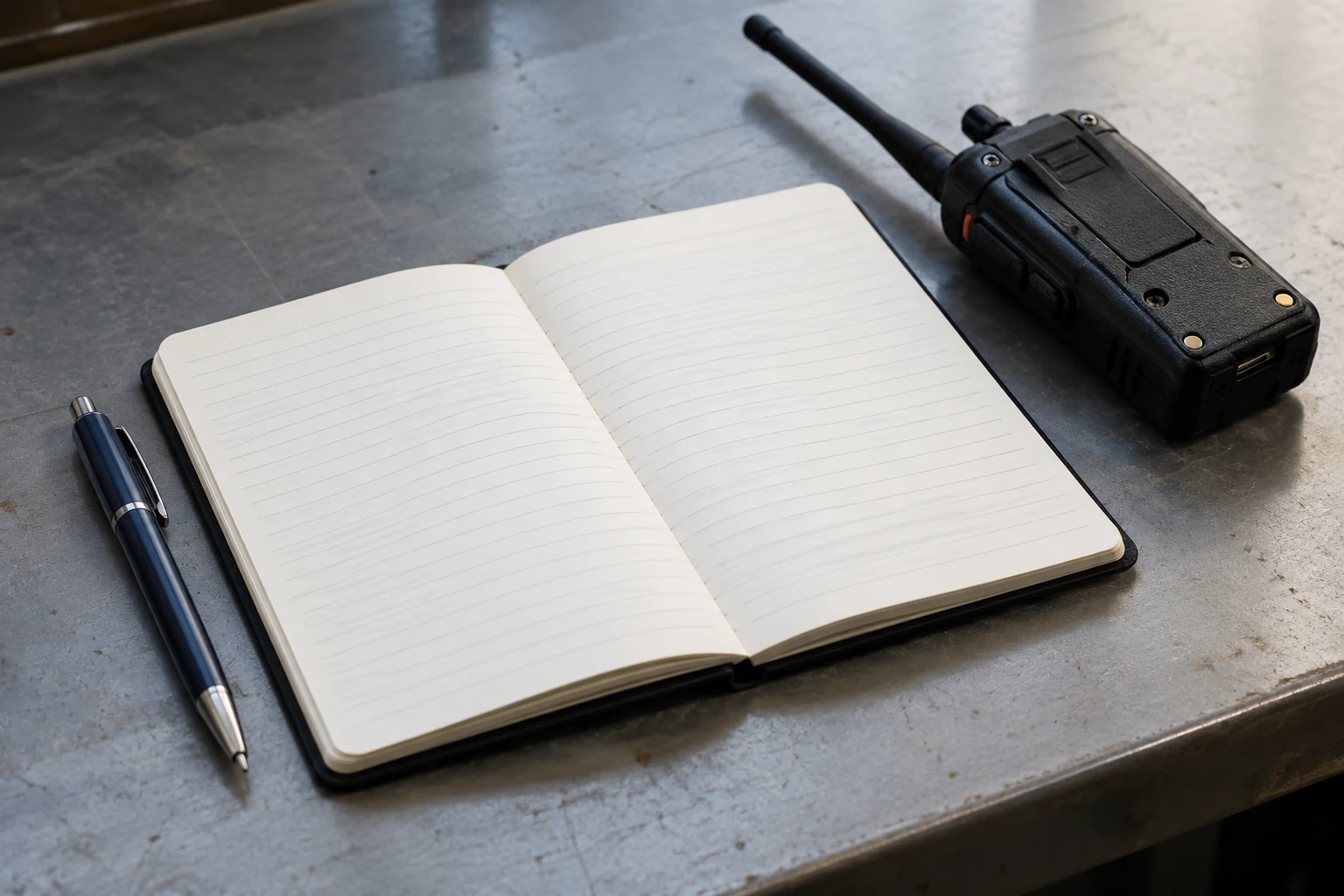
Start with the medium that makes it easiest to record a contact promptly. ARRL says a paper log’s format can be a matter of personal preference. A notebook page needs no software setup: write column labels across the top, leave enough room for notes, and add a row after each QSO. If you can read and find your entries later, a straightforward page is doing its job.
An electronic log may be more comfortable if you prefer typing, searching past contacts, or keeping the same fields on an entry screen. ARRL identifies automatic UTC date and time handling as an advantage of computerized logging programs. Treat that as a capability to check, not proof that your particular app, computer clock, or time-zone setting is correct. Before relying on an automatic timestamp, look at what date and time the program will save and whether it labels them as UTC.
Either way, keep your paper notebook or electronic log as the working record—the place you consult when checking what happened. Choose fields you can fill in during or just after an ordinary QSO. An elaborate form that makes you postpone every entry is less helpful than a short, consistent row with room to add a detail when it matters.
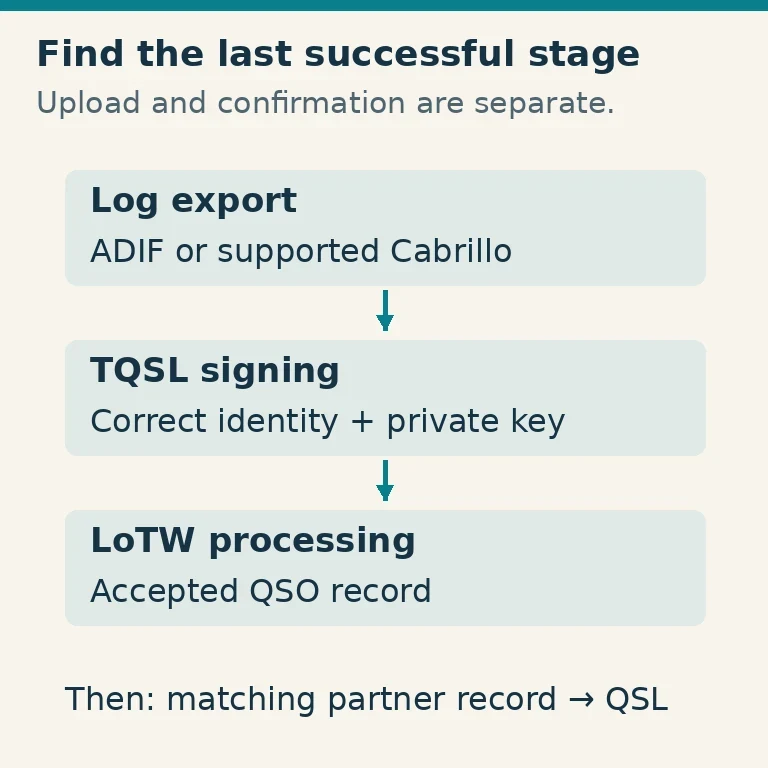
LoTW serves a different purpose. It accepts submitted QSO information for a matching-confirmation workflow; it is not a substitute for maintaining an understandable working log. If your logging software offers an ADIF export, that file can provide contact data for an optional submission workflow. Exporting a file is not itself a confirmation: LoTW says a submitted QSO is confirmed when the QSO partner submits a matching one.
For someone entering only a few contacts, TQSL includes a simple editor for creating small ADIF log files. Its documentation also gives an important limit: editing an existing ADIF file that contains additional fields can cause data in those fields to be lost. Use that editor to create or edit a new small file, not as a general way to open and overwrite a richer export from your working log.
Choose paper if immediate, uncomplicated entry matters most to you. Choose an electronic log if you find its entry screen and time handling easier—and have checked its settings. Consider LoTW separately if you want to seek confirmations; you can decide that after you have a reliable source record.
Build a Useful QSO Record
A useful row identifies one contact without requiring you to write down everything said. At minimum for your own working log, make space for the other station’s callsign, the date and start time, the band or frequency, and the mode. The callsign identifies whom you worked; the date and start time distinguish this contact from another; band or frequency tells you where it took place; and mode tells you how you communicated. ARRL recommends recording the other station’s callsign and both the start and end times, along with the date, frequency, mode, and your power output.
Here is a fictional, illustrative entry, not a verified contact or an example of operating authorization:
| Other station | Date (UTC) | Start (UTC) | End (UTC) | Band | Frequency | Mode | Notes |
|---|---|---|---|---|---|---|---|
| K7ABC | January 11 | 04:30 | 04:38 | 2 m | 146.520 MHz | FM | “Alex; first conversation” |
The example shows how one row fits together; use the actual details of your contact, not these illustrative operating details. For a real log, include the year in the date as well so a row remains identifiable later. If you record frequency, keep the band in its own column too. If you did not capture an end time, a correct start time is more useful than an end time invented afterward. You might also record your power output, following ARRL’s recommendation.
A signal report, the other operator’s name or location, and a brief note are optional additions to an ordinary personal row. They can help you remember the conversation or distinguish two contacts with the same station. Leave a field blank if you did not record it rather than turning a guess into a fact. The aim is a trustworthy record, not the fullest-looking row.
LoTW has a specific minimum if you choose to submit. A submitted QSO must identify your QSO partner’s callsign; the date and time the QSO started, in UTC; the band; and the mode or mode group. That is the complete minimum LoTW lists. A frequency may be a useful detail in your log, but frequency alone does not replace LoTW’s required band field. Your personal row can contain more information, yet those four items still need to be present for that submission.
If you use TQSL’s small QSO editor and enter a frequency, its instructions specify megahertz and say the frequency should agree with the selected band. For a cross-band QSO, they say to enter the frequency on which your station transmitted. That is an editor-entry rule, not a reason for a beginner’s ordinary log to become an advanced ADIF project.
Enter the Contact Without a Time or Callsign Mix-up
Make an entry while the exchange is fresh. A repeatable sequence matters more than speed:
- Read back the other station’s callsign. Compare what you typed or wrote with what you noted during the QSO. If a letter or numeral is uncertain, check any notes you made rather than silently choosing the most plausible version.
- Enter the start date and time. Label the time convention on the page or in the electronic field. If your program fills these automatically, inspect the saved value instead of assuming its clock and settings are right.
- Add the band or frequency and mode. Check the frequency against your radio display or a note you made, and check that the band you selected agrees with it. An illustrative frequency in this guide says nothing about your own authorization to transmit.
- Add the end time and useful notes. If you have them, record the end time, a name, report, or a short reminder of the conversation before those details fade.
UTC is a practical default. ARRL recommends it to avoid confusion over time zones and daylight saving time. For a personal log, ARRL also allows local time when you clearly indicate that choice; its caution is not to mix local and UTC times and dates in the same log. If you choose local time, label it plainly and keep a dependable way to convert entries you later decide to submit to LoTW, which requires the QSO’s UTC start date and time.
The date deserves as much attention as the clock. For example, using an illustrative offset of UTC−5, a contact starting at 11:30 p.m. local time on January 10 starts at 04:30 UTC on January 11. Add five hours, and the date crosses midnight. The fictional row above uses that UTC date and start time. Do not copy UTC−5 merely because it appears here: use the offset that actually applied at the time and place of your contact. A daylight-saving change or a different location can change the conversion.
If you discover that the callsign, date, or mode is uncertain, consult your available notes while you can still make sense of them. A clearly identified uncertainty is safer than a precise-looking guess—especially if you later use the entry to prepare a submission.
Review, Correct and, If Desired, Submit
Before an optional upload, review your working log rather than treating its entries as automatically ready for LoTW. Look for likely duplicate rows, then compare the other station’s callsign, UTC start date and time, band, and mode with the original notes or entry. Check a local-to-UTC conversion for both the hour and the date. If the source entry is wrong, correct that working record and leave enough context—for example, a brief correction note—to understand what changed.
A duplicate deserves a closer look before deletion: two similar rows might represent one contact entered twice or two actual contacts. Compare their times and any notes rather than deciding solely because the callsign repeats. Likewise, if a frequency and band disagree, return to what you recorded from the radio instead of changing a field merely to make the row look consistent.
LoTW’s handling of a corrected submission depends on an exact identifying match. If a new submission matches an existing LoTW QSO’s callsign, date, time to the second, band, and mode, LoTW updates other components of that existing QSO, such as frequency or propagation mode. If that combination does not match, LoTW creates a new QSO and leaves the existing one unchanged.
That difference determines what to expect from two common corrections. If the identifying combination was right but a non-identifying detail such as frequency was wrong, a corrected submission meeting the exact match condition can update that detail. If the mistake was in the callsign, date, time, band, or mode, do not assume resubmitting the corrected QSO will repair or replace the earlier one: it does not meet the stated match condition if those identifiers differ. Check the working log first and keep track of which version you submitted.
A sound routine is modest: enter the contact, check its identifying details, and preserve an accurate working record. Submit to LoTW only if you want that separate service. Even a successfully submitted QSO is not a guaranteed confirmation; LoTW says confirmation occurs when the other station submits a matching QSO. Your own useful log remains useful whether or not that happens.